> For the complete documentation index, see [llms.txt](https://docs.infotopics.com/llms.txt). Markdown versions of documentation pages are available by appending `.md` to page URLs; this page is available as [Markdown](https://docs.infotopics.com/writebackextreme/v4.0/product-guide/management-console/schemas/workflows.md).
# Workflows
The general idea of workflows is the ability to send a notification to another system of an action that is triggered in the extension. For example: When a user creates a collaboration record in the extension, the representative should be notified per mail.
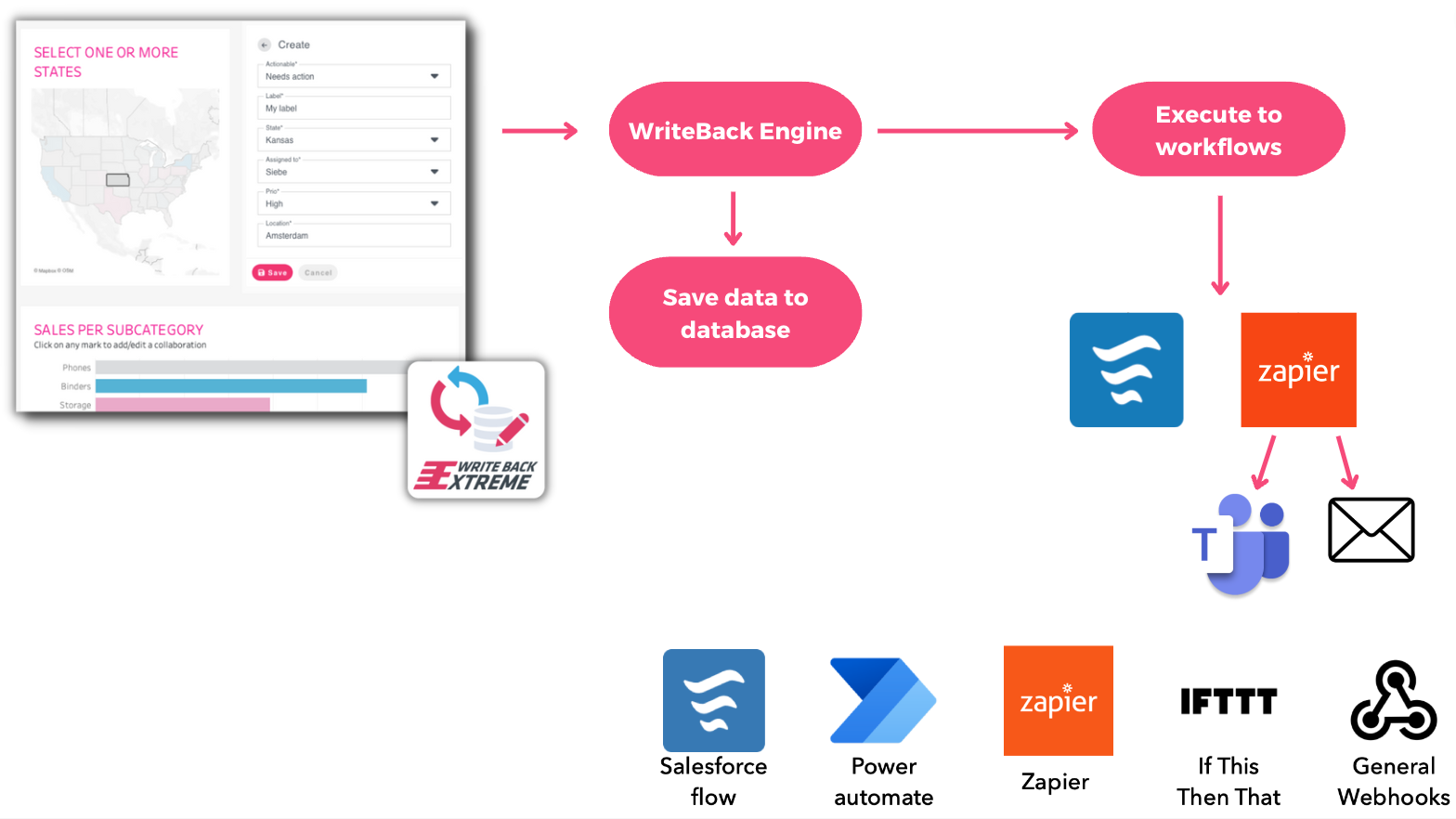
## Workflows Architecture
Submitting a form in the WriteBackExtreme extension can trigger a workflow, meaning the submitted data is also sent to the workflow executor that will send the data to the configured processor.
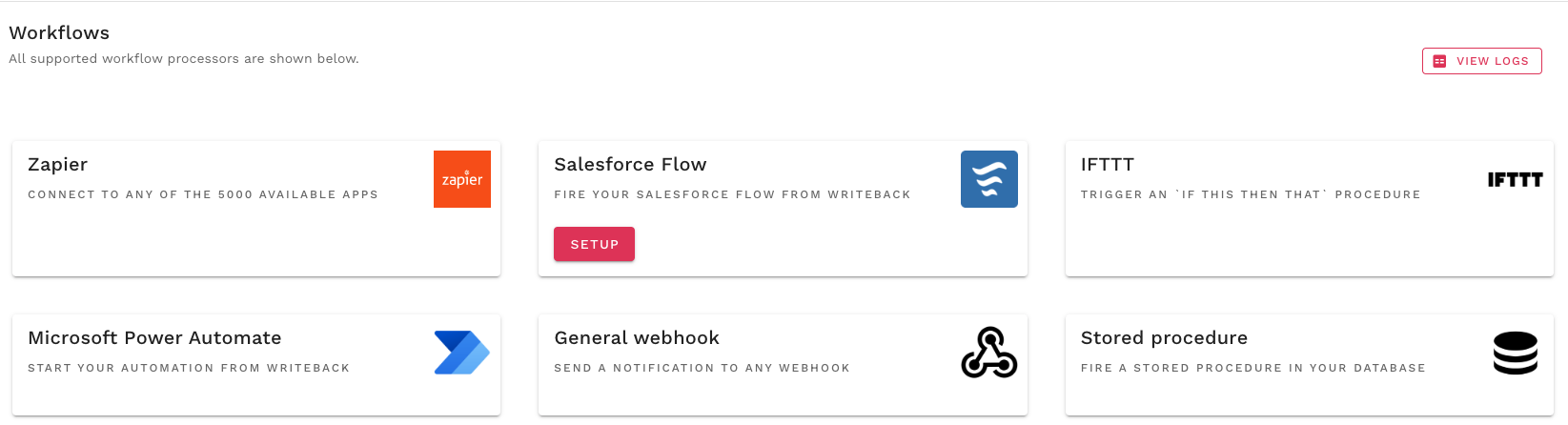
We currently support the following processors:
### **Getting started**
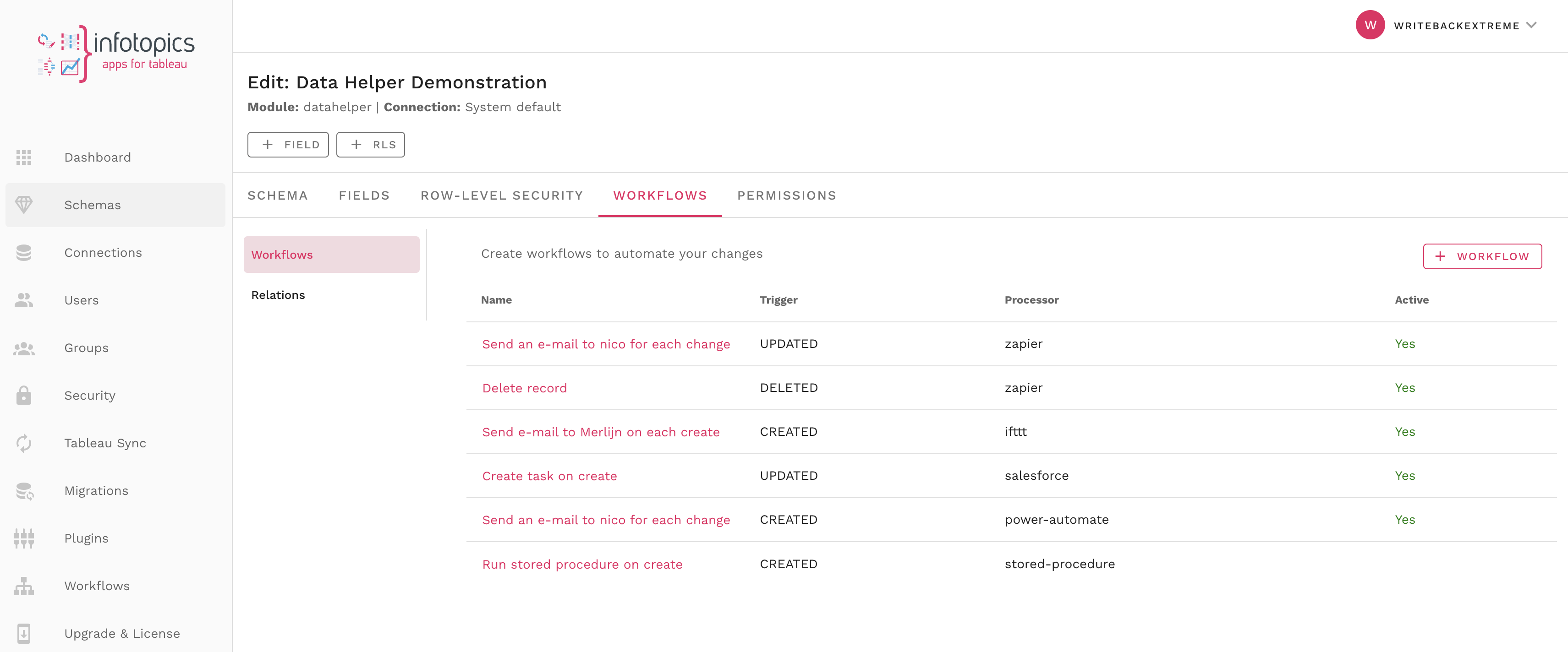
A workflow is defined on a schema.
* Open the schema where you want to define a workflow for
* Click the ‘Workflows’ tab
* Here you can add workflows
Connected Workflows
Add and edit your workflow connected to your schema.
### **Relations**
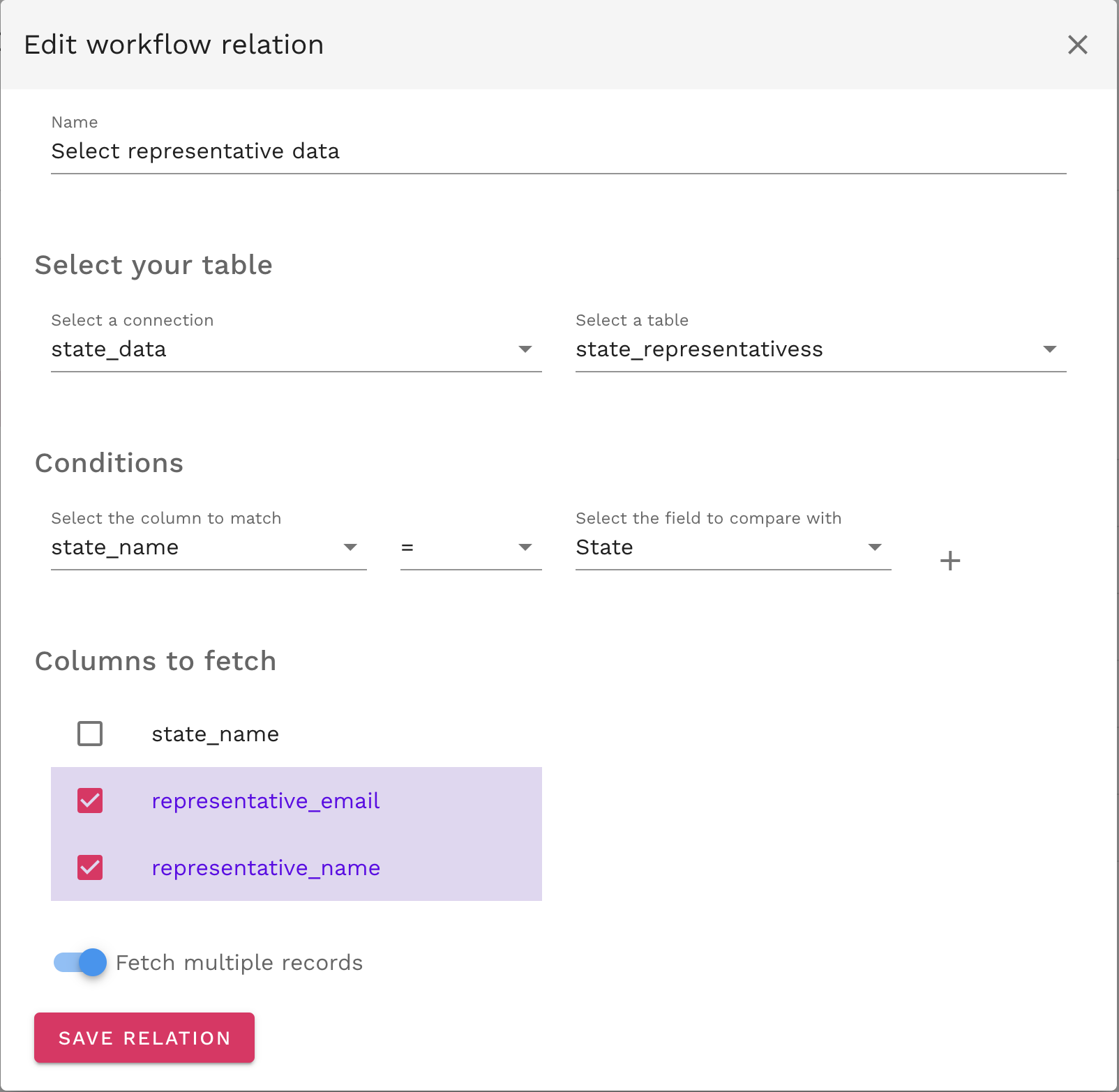
What makes workflows more powerful is the ability to add even more data to the request. For example: When you have a form in your extension where you can specify the state of the US. You can append data to the notification that is specific for that state. Relations can be set for all tables of a connection. Even if the tables are not managed by WriteBackExtreme at all. Only a connection is needed to make it work. Relations are defined globally for the given schema so that it is re-usable for any trigger that needs that information attached to the workflow payload.
To add a workflow relation click on the relation tab and add a relation.
You will then be prompted with a helpful wizard to take you through setting up your relation. Give your relation a recognisable name, set the connection to your database which holds the table you wish to connect to then in the table find the column to match with a column in your schema. From that table you can decide which columns you wish to fetch by clicking on one or multiple.
### **System fields**
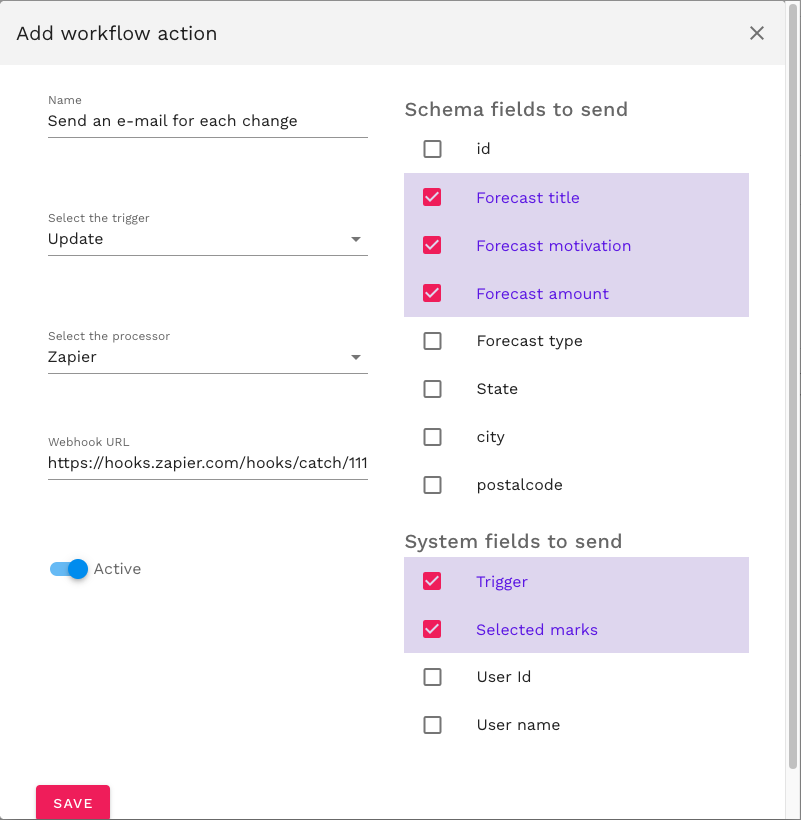
System fields are fields that are not in the schema fields but are filled by the system, like the user who triggered the action, the trigger itself and the selected marks. Most of the system fields speak for themselves. Only the \`selected marks\` can be difficult for users to understand. The Selected marks field will append an array of the marks that the user selected in the connected sheet of the dashboard when creating/updating the form in the extension. For example: I have a dashboard with a sheet of states and connect my extension to that sheet. When I select a state and make a record in my extension for that state, the workflow payload will include that selected state when it is triggered.
### **Logging**
Each trigger will create a log entry in the management console. These logs are accessible via the workflows menu item. At the right top of the screen there is a ‘View logs’ button. All errors that are returned by the third-party application will be stored in our logs files. We only store logs of the last 14 days.
### **Give it a try!**
The \`try\` button at the top of the workflow popup will generate a sample payload. This will enable the user to see the JSON structure of the payload that is sent by WriteBackExtreme. This is needed as input for the setup in some third party applications like Power automate and salesforce.
---
# Agent Instructions
This documentation is published with GitBook. GitBook is the documentation platform designed so that both humans and AI agents can read, navigate, and reason over technical content effectively. Learn more at gitbook.com.
## Querying This Documentation
If you need additional information that is not directly available in this page, you can query the documentation by asking a question.
Perform an HTTP GET request on the following URL with the `ask` and `goal` query parameters:
```
GET https://docs.infotopics.com/writebackextreme/v4.0/product-guide/management-console/schemas/workflows.md?ask=&goal=
```
`ask` is the immediate question: it should be specific, self-contained, and written in natural language.
`goal` is what the user is ultimately trying to achieve, the reason they need the answer. Sharing it helps GitBook give you a better, more relevant answer. A goal is most helpful when it describes the outcome the user wants rather than restating the question. For example, with `ask=how do I create an API token`, a goal like `automate deployments from our CI pipeline` lets GitBook tailor the answer to that use case.
The response will contain a direct answer to the question and relevant excerpts and sources from the documentation.
Use this mechanism when the answer is not explicitly present in the current page, you need clarification or additional context, or you want to retrieve related documentation sections.