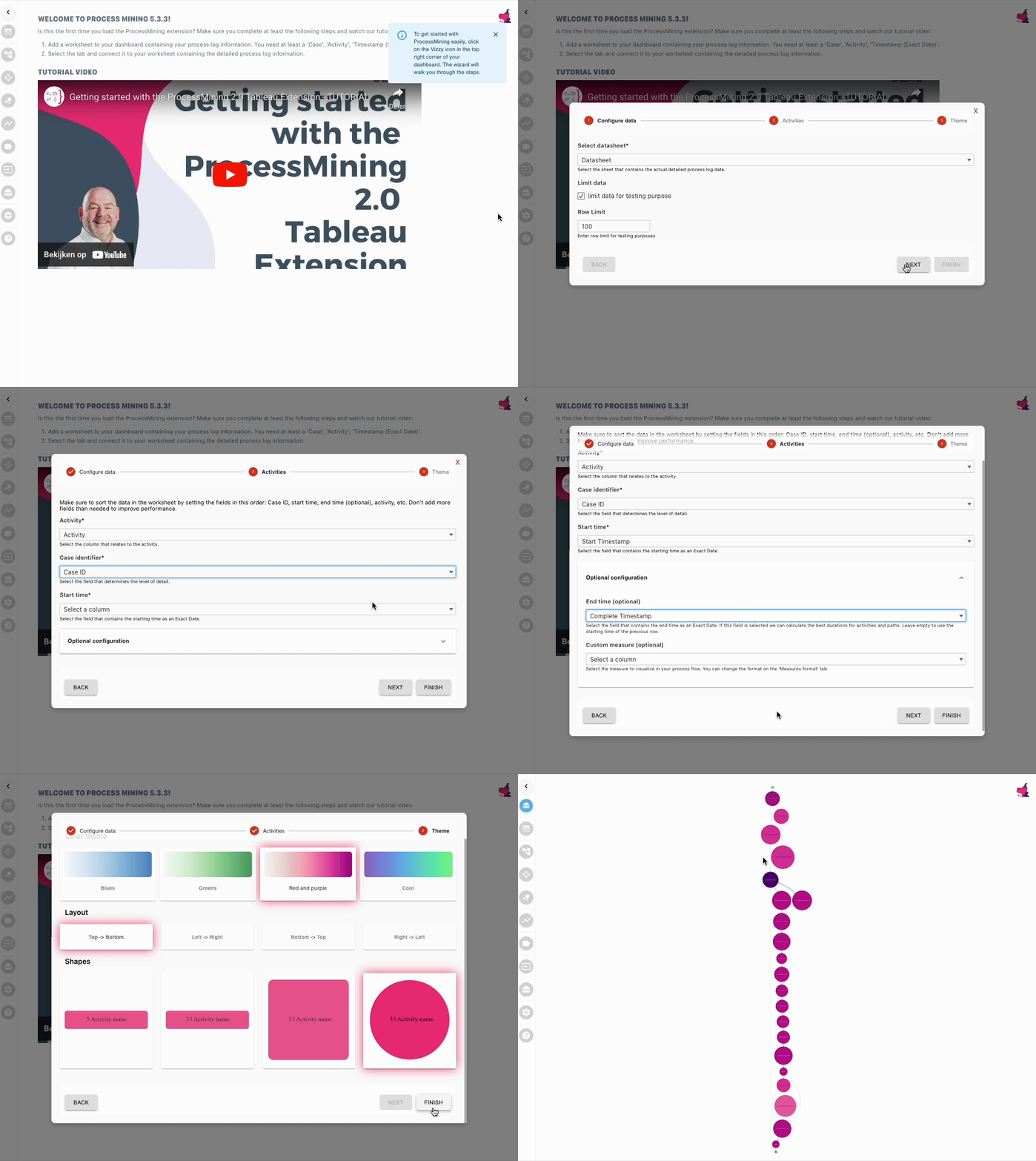
When adding the ProcessMining extension to a dashboard, it will open the configuration wizard by default. This wizard will take you through the initial steps of configuration:
Configuring the datasheet and (optionally) limiting data for testing purposes
Assigning the “Activity”, “Case Identifier”, “Start time” and optionally the “End time” and “Custom measure” roles to the relevant data from the data source
Initial configuration of the color, shapes and layout of the Process Mining visualisation
Alternatively, you can follow the steps below to configure the extensions manually, and in more detail.