> For the complete documentation index, see [llms.txt](https://docs.infotopics.com/llms.txt). Markdown versions of documentation pages are available by appending `.md` to page URLs; this page is available as [Markdown](https://docs.infotopics.com/writebackextreme/features/tableau-extension/end-user/feature/bulk-edit.md).
# Bulk edit
You may know the powerful bulk edit features of DATA Correction and got a lot of requests to also support bulk edits for the ADD DATA and DATA HELPER module, well it’s here and it’s going to save you plenty of valuable time. Bulk editing your data allows you to change multiple values at once.
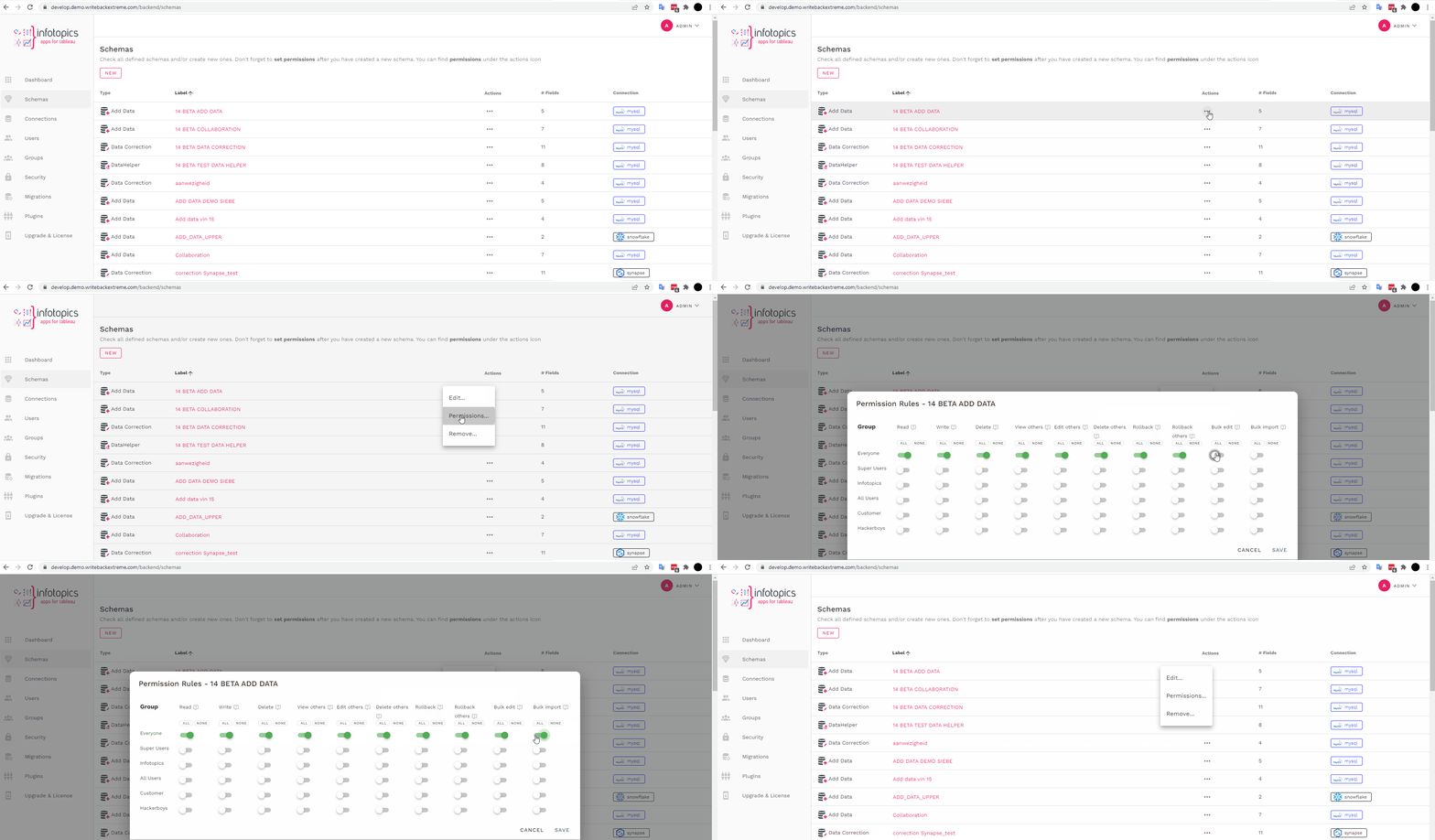
Set your permissions
It may not be necessary for all of your users to have the ability to use the bulk edit feature. In the management console, head to the schema(s) under the actions tab click the ‘…’ menu to see the permissions of the schema. See GIF where we turn on this permission. Have full control of which features your users have access to. Reload WriteBackExtreme to implement changes.
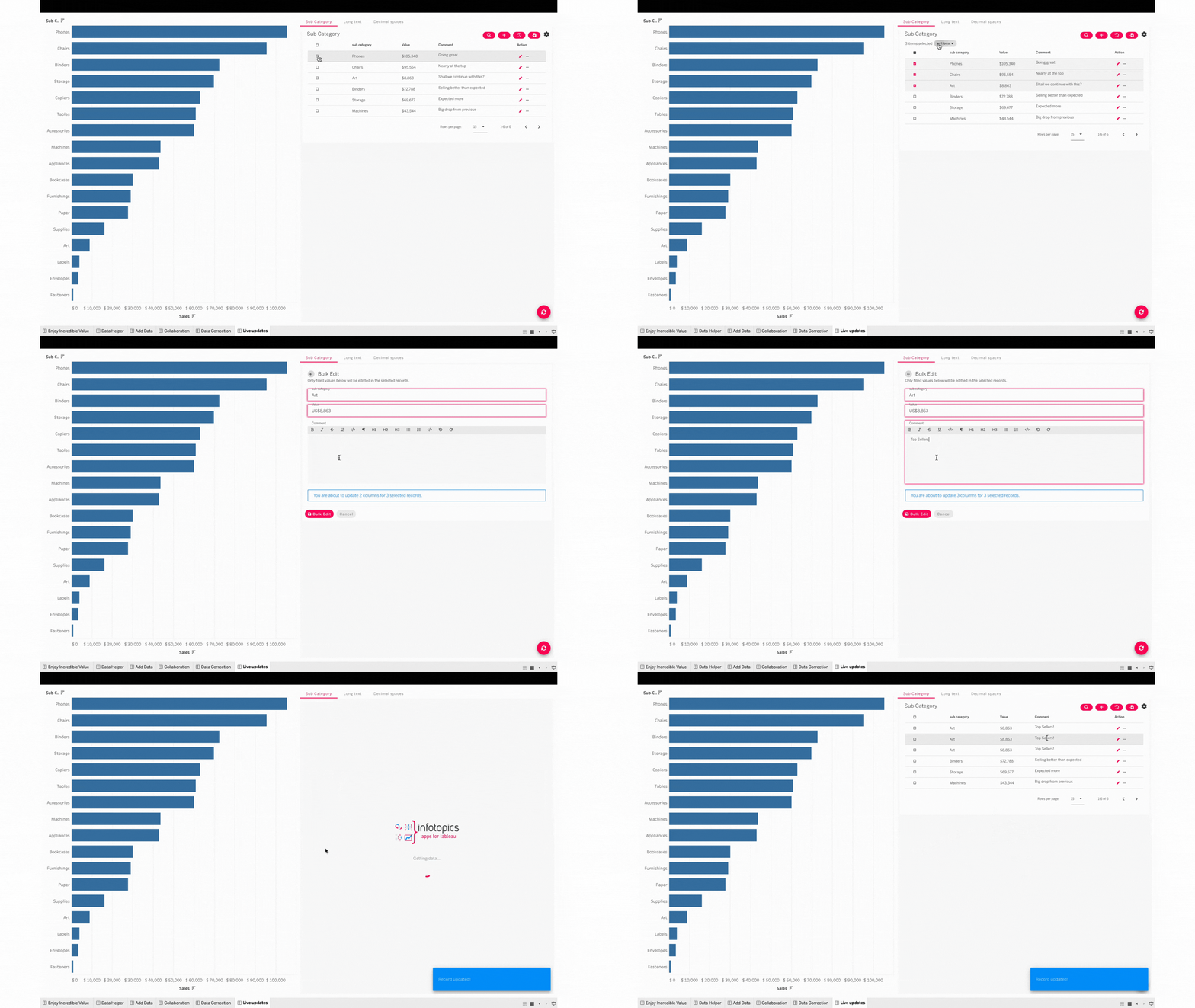
In our example below our values should all be the same and changed to 1000, the bulk edit feature allows us to select them and edit all our values in one instance. This can also be used for times such as changing a status of an entry to ‘completed’ highlight all your records, open the actions button to edit your status.
When using bulk edit, the fields that will be changed will be highlighted to ensure you’re aware of what will be changed. Use the select all button to highlight every row in your WriteBackExtreme view.
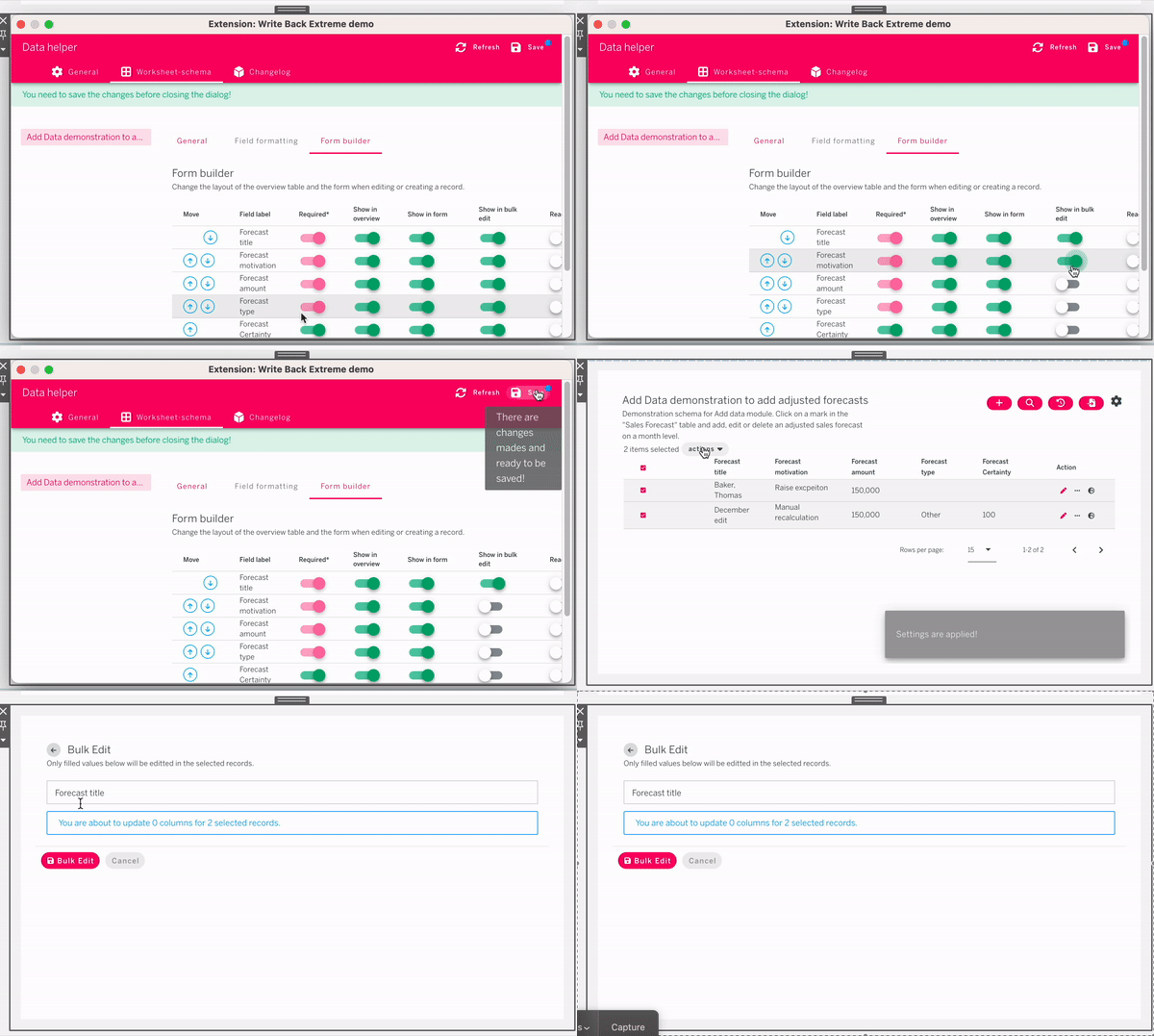
#### Hide fields in Bulk Edit
Certain fields, such as primary keys, should not be editable in bulk. WriteBackExtreme allows you to toggle which fields will and will not show up in the bulk edit form.
---
# Agent Instructions
This documentation is published with GitBook. GitBook is the documentation platform designed so that both humans and AI agents can read, navigate, and reason over technical content effectively. Learn more at gitbook.com.
## Querying This Documentation
If you need additional information that is not directly available in this page, you can query the documentation dynamically by asking a question.
Perform an HTTP GET request on the current page URL with the `ask` query parameter, and the optional `goal` query parameter:
```
GET https://docs.infotopics.com/writebackextreme/features/tableau-extension/end-user/feature/bulk-edit.md?ask=&goal=
```
`ask` is the immediate question: it should be specific, self-contained, and written in natural language.
`goal` is optional and describes the broader end goal you are ultimately trying to accomplish on behalf of the user. GitBook uses it to tailor the answer towards what is most useful for that goal.
The response will contain a direct answer to the question and relevant excerpts and sources from the documentation.
Use this mechanism when the answer is not explicitly present in the current page, you need clarification or additional context, or you want to retrieve related documentation sections.