> For the complete documentation index, see [llms.txt](https://docs.infotopics.com/llms.txt). Markdown versions of documentation pages are available by appending `.md` to page URLs; this page is available as [Markdown](https://docs.infotopics.com/writebackextreme/features/tableau-extension/configuration/schemas/field-formatting/number.md).
# Number
The number field support 6 different layout types all with their own use cases.
* **Progress Bar**: Visual representation of completion status.
* **Slider**: Allows users to select a value or range along a continuum.
* **Rating**: Enables users to provide feedback by rating items.
* **Percent**: Input for percentage values.
* **Currency**: Specialized field for monetary amounts.
* **Number**: Field for numerical input.
#### Rating
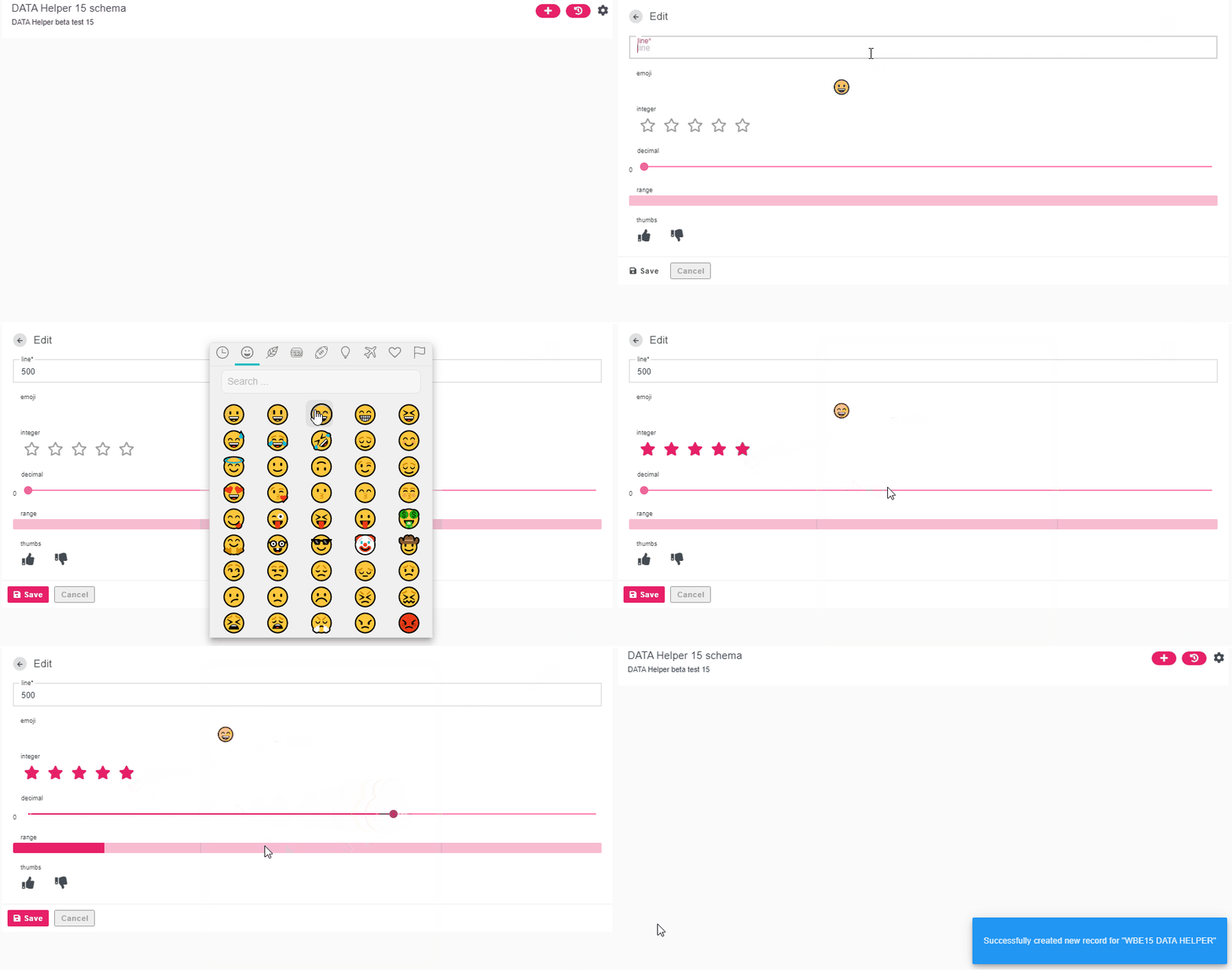
A very good use case for WriteBackExtreme is allowing users to rate certain dashboards using our star method. The Rating option presents a stars where users can click on each star which will then write back the score to your table, for example. Configure how many stars will be shown, size and spacing.
#### Slider
Convert the number to a slider, this would be ideal for users to use if a precise range isn’t necessary and an approximate would suffice.
#### Progress bar
As it says on the tin, users can update their dashboards using the progress bar to share their projects progress. A clear indication of how well your projects are doing.
### Other options
---
# Agent Instructions
This documentation is published with GitBook. GitBook is the documentation platform designed so that both humans and AI agents can read, navigate, and reason over technical content effectively. Learn more at gitbook.com.
## Querying This Documentation
If you need additional information that is not directly available in this page, you can query the documentation dynamically by asking a question.
Perform an HTTP GET request on the current page URL with the `ask` query parameter, and the optional `goal` query parameter:
```
GET https://docs.infotopics.com/writebackextreme/features/tableau-extension/configuration/schemas/field-formatting/number.md?ask=&goal=
```
`ask` is the immediate question: it should be specific, self-contained, and written in natural language.
`goal` is optional and describes the broader end goal you are ultimately trying to accomplish on behalf of the user. GitBook uses it to tailor the answer towards what is most useful for that goal.
The response will contain a direct answer to the question and relevant excerpts and sources from the documentation.
Use this mechanism when the answer is not explicitly present in the current page, you need clarification or additional context, or you want to retrieve related documentation sections.