> For the complete documentation index, see [llms.txt](https://docs.infotopics.com/llms.txt). Markdown versions of documentation pages are available by appending `.md` to page URLs; this page is available as [Markdown](https://docs.infotopics.com/writebackextreme/features/management-console/schemas/row-level-security.md).
# Row Level Security
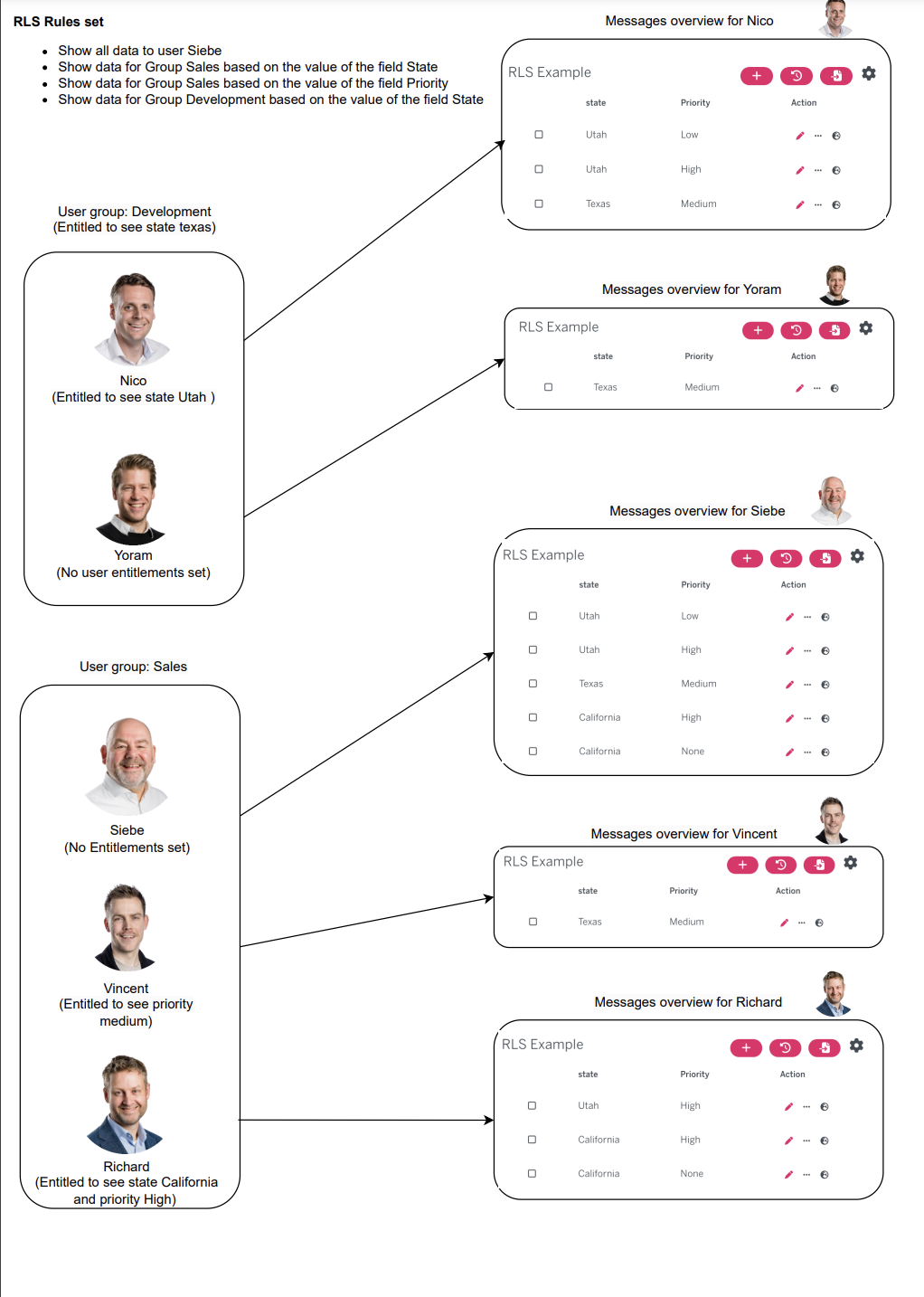
When setting up a schema in the management console, you can set row level security on groups and/or users. Set groups or users with row level security so they only see the data that’s relevant to them within WriteBackExtreme. Overall, row level security provides a powerful mechanism for controlling access to sensitive data in a database. By restricting access to specific rows based on the identity of the user, you can ensure that your data remains secure and confidential, while still allowing authorized users to access the information they need to do their jobs.
An example is that users in a particular department will only see their departments data. Multiple rules can be set up so groups/users can see their departments information in a particular region for example.
* The rules within a policy will be stacked. This means that data is only shown when all conditions are met (AND)
* Defining multiple policies for a schema will result into a union (OR)
* Multiple entitlements within a user or group will create a union (OR)
### How it works
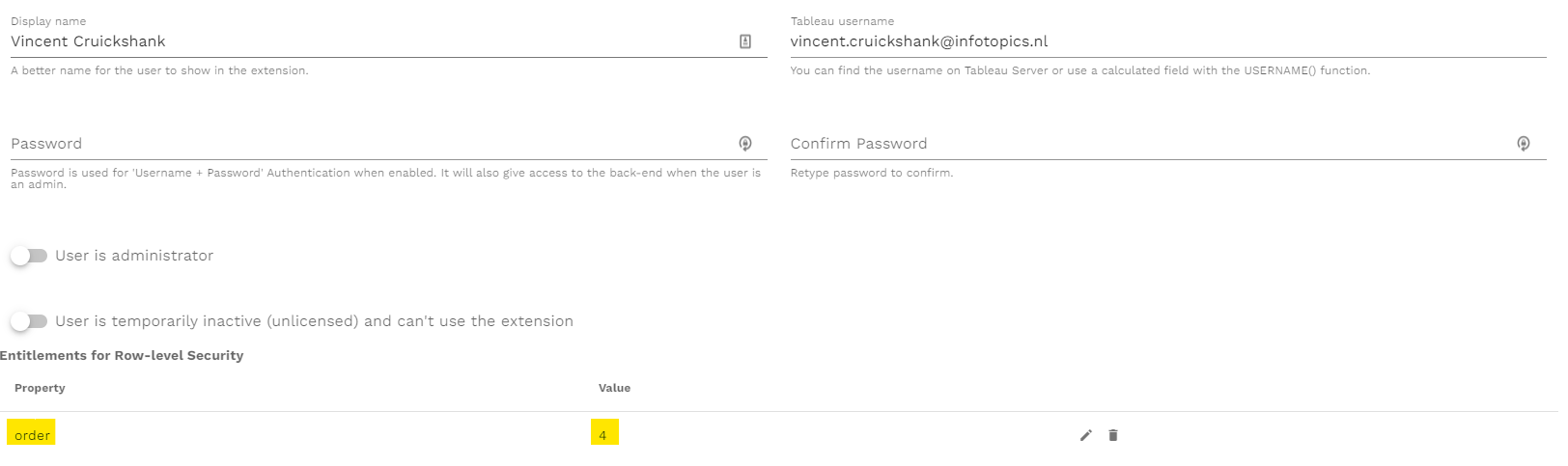
Choose the entitlements of your user or group and set the value that applies to your schema. The user or group will only see the data within these fields.
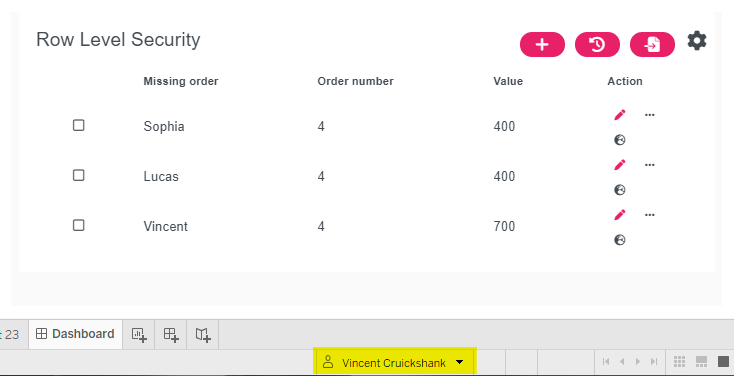
When connected to the schema only the rows will be present in your data set
### RLS Entitlement import
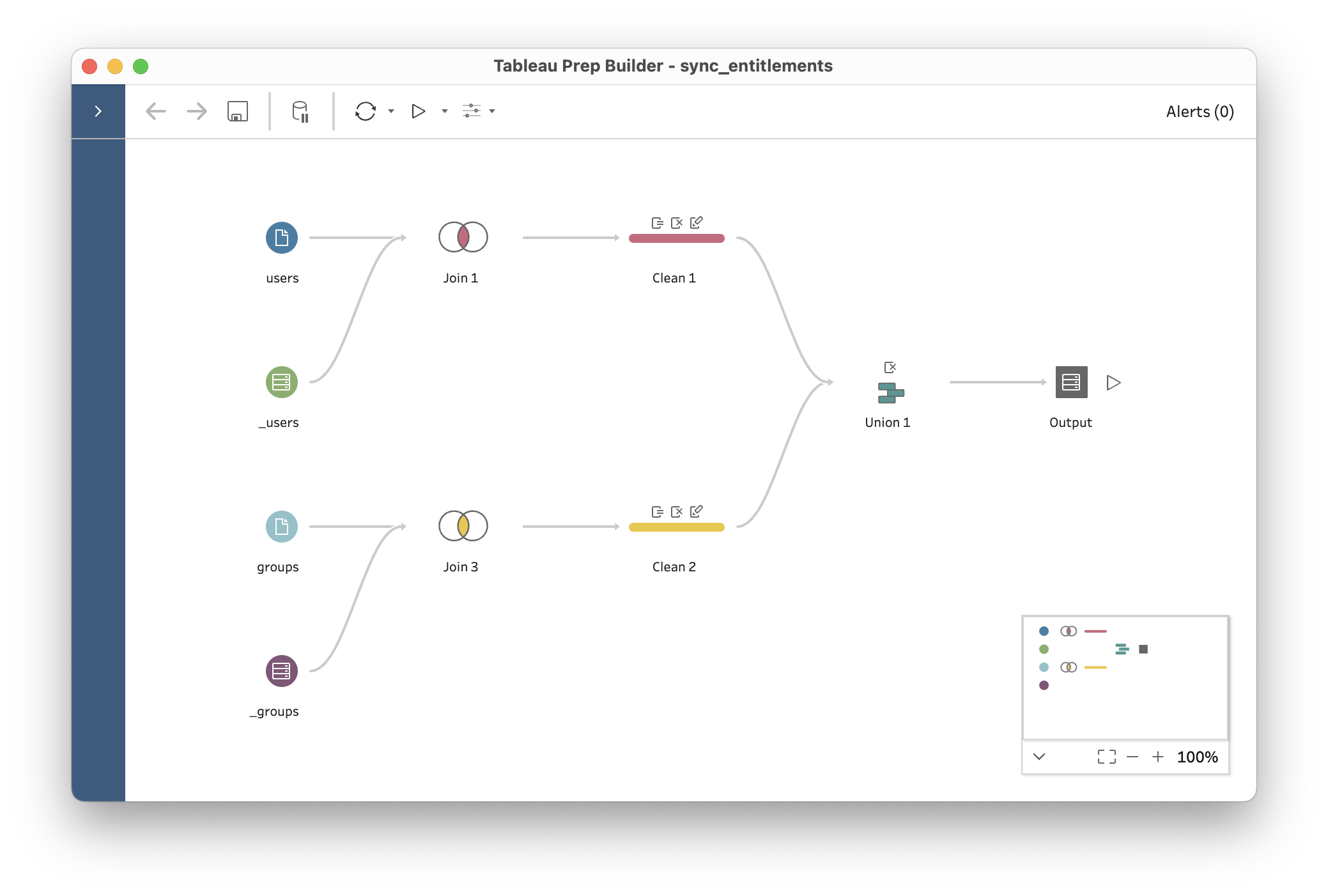
For customers that have an existing set of entitlements for their RLS policies we have the following solution to easily import this into WriteBackExtreme. Any ETL tool can be used to populate our internal WriteBackExtreme RLS entitlements table. Since you are already use Tableau we recommend to achieve this with Tableau Prep. In Tableau prep you can transform your entitlement dataset to our data structure for the RLS Entitlements. After setting up this prep, you can easily add it as a scheduled task in your tableau server instance. As an example we have created a sample file that can be used as an inspiration.
The most important of the prep is that you need to populate the `_rls_entitlements` table. The following columns need to be populated:
* assignable\_type (this needs to be `user` or `group` since we can set entitlements for groups or for users.
* assignable\_id (the id of the user or the group) (note that this should be our internal id in the `_users` or `_groups` table)
* property (the name of the entitlement)
* value (the value of the entitlement)
Want to try it yourself? Use our example files as inspiration!
[DOWNLOAD EXAMPLE FILES](https://appsfortableau.infotopics.com/wp-content/uploads/2023/02/Example-files-2.zip)
---
# Agent Instructions
This documentation is published with GitBook. GitBook is the documentation platform designed so that both humans and AI agents can read, navigate, and reason over technical content effectively. Learn more at gitbook.com.
## Querying This Documentation
If you need additional information that is not directly available in this page, you can query the documentation by asking a question.
Perform an HTTP GET request on the following URL with the `ask` and `goal` query parameters:
```
GET https://docs.infotopics.com/writebackextreme/features/management-console/schemas/row-level-security.md?ask=&goal=
```
`ask` is the immediate question: it should be specific, self-contained, and written in natural language.
`goal` is what the user is ultimately trying to achieve, the reason they need the answer. Sharing it helps GitBook give you a better, more relevant answer. A goal is most helpful when it describes the outcome the user wants rather than restating the question. For example, with `ask=how do I create an API token`, a goal like `automate deployments from our CI pipeline` lets GitBook tailor the answer to that use case.
The response will contain a direct answer to the question and relevant excerpts and sources from the documentation.
Use this mechanism when the answer is not explicitly present in the current page, you need clarification or additional context, or you want to retrieve related documentation sections.