> For the complete documentation index, see [llms.txt](https://docs.infotopics.com/llms.txt). Markdown versions of documentation pages are available by appending `.md` to page URLs; this page is available as [Markdown](https://docs.infotopics.com/processmining/features/analytics-tab.md).
# Analytics tab
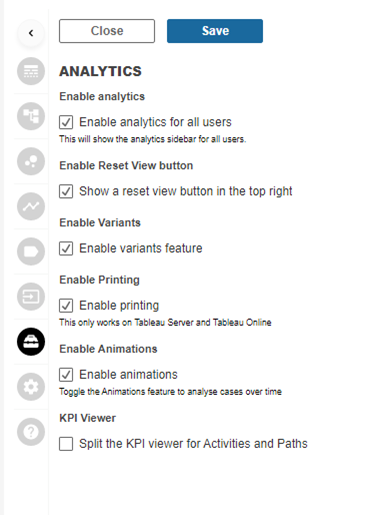
In the analytics tab you will have full control of what analytics options are shown with your process mining interface for dashboard users. Enable and disable analytics, variants, printing and animations etc.
#### Enable analytics for all users
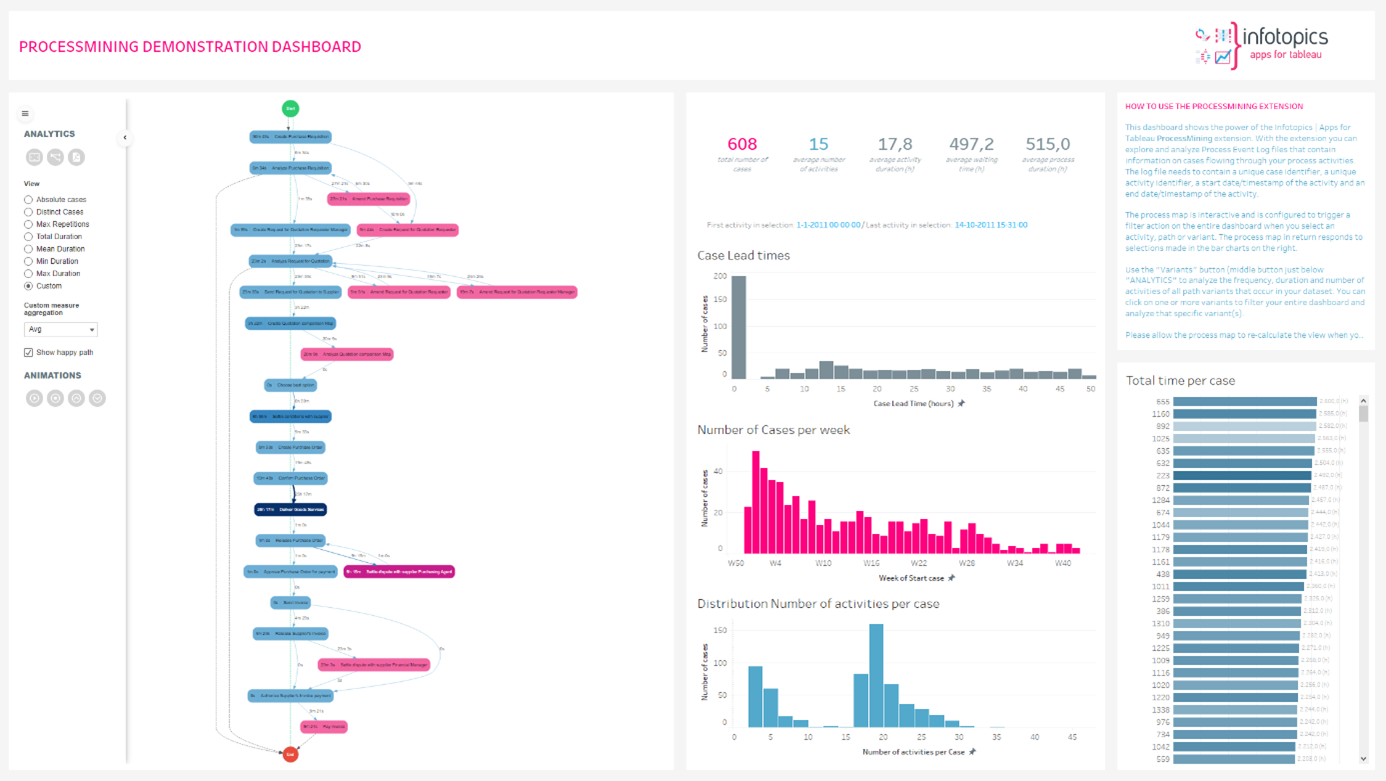
This is the “Main Switch” to enable or disable the analytics pane for your dashboard users. The analytics pane is the left sidebar shown in the screenshot below.
#### Enable reset view button
This enables the automatic resize view button that allows dashboard users to zoom to the ddefault format of the process map.
#### Enable variants
This will enable/disable the button to show the Variant Analysis screen where all variants are shown with different KPI’s as bar charts. With the button disabled Dashboard users can never access the Varaint screen.
#### Enable printing
Tableau Server and Tableau Online do not support the printing/exporting of web elements. That is why we have integrated a printing button that allows you to export your Process Map to a PDF file. With this switch you can aneable/disable the showing of the print button for dashboard users.
#### Enable animations
The ProcessMining extension supports animations of cases flowing through your process (End Date/Timestamp is required). This option enables or disables the option to play animations for dashboard users.
#### KPI viewer
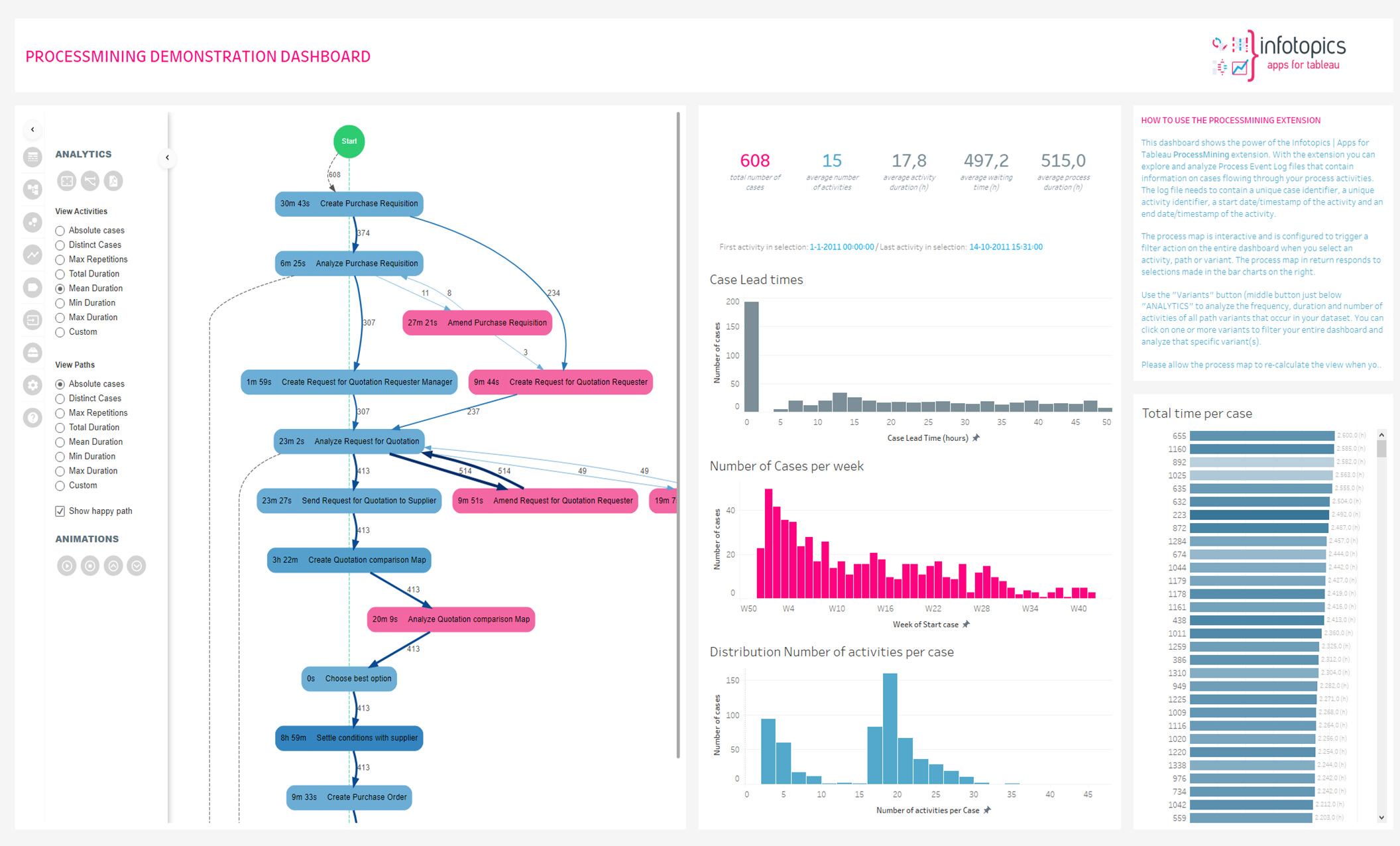
This option allows Dashboard users to select different KPI’s for activities and Paths independently. An example is shown in the screenshot below where the activities show the mean duration and the paths show the number of hops
---
# Agent Instructions
This documentation is published with GitBook. GitBook is the documentation platform designed so that both humans and AI agents can read, navigate, and reason over technical content effectively. Learn more at gitbook.com.
## Querying This Documentation
If you need additional information that is not directly available in this page, you can query the documentation dynamically by asking a question.
Perform an HTTP GET request on the current page URL with the `ask` query parameter, and the optional `goal` query parameter:
```
GET https://docs.infotopics.com/processmining/features/analytics-tab.md?ask=&goal=
```
`ask` is the immediate question: it should be specific, self-contained, and written in natural language.
`goal` is optional and describes the broader end goal you are ultimately trying to accomplish on behalf of the user. GitBook uses it to tailor the answer towards what is most useful for that goal.
The response will contain a direct answer to the question and relevant excerpts and sources from the documentation.
Use this mechanism when the answer is not explicitly present in the current page, you need clarification or additional context, or you want to retrieve related documentation sections.