> For the complete documentation index, see [llms.txt](https://docs.infotopics.com/llms.txt). Markdown versions of documentation pages are available by appending `.md` to page URLs; this page is available as [Markdown](https://docs.infotopics.com/features/tableau-extension/configuration/schemas/field-formatting/number.md).
# Number
A number field supports seven styles, set with **Type of Form Field**, each with its own use case.
* **Number** — plain numerical input.
* **Currency** — a monetary amount. Adds a **Currency** option: Dollar (USD), Euro (EUR), Canadian Dollar (CAD), Chinese yuan (CNY), British Pound (GBP), Kuwaiti Dinar (KWD), Singapore dollar (SGD), Australian dollar (AUD), or a custom sign.
* **Percent** — a percentage value.
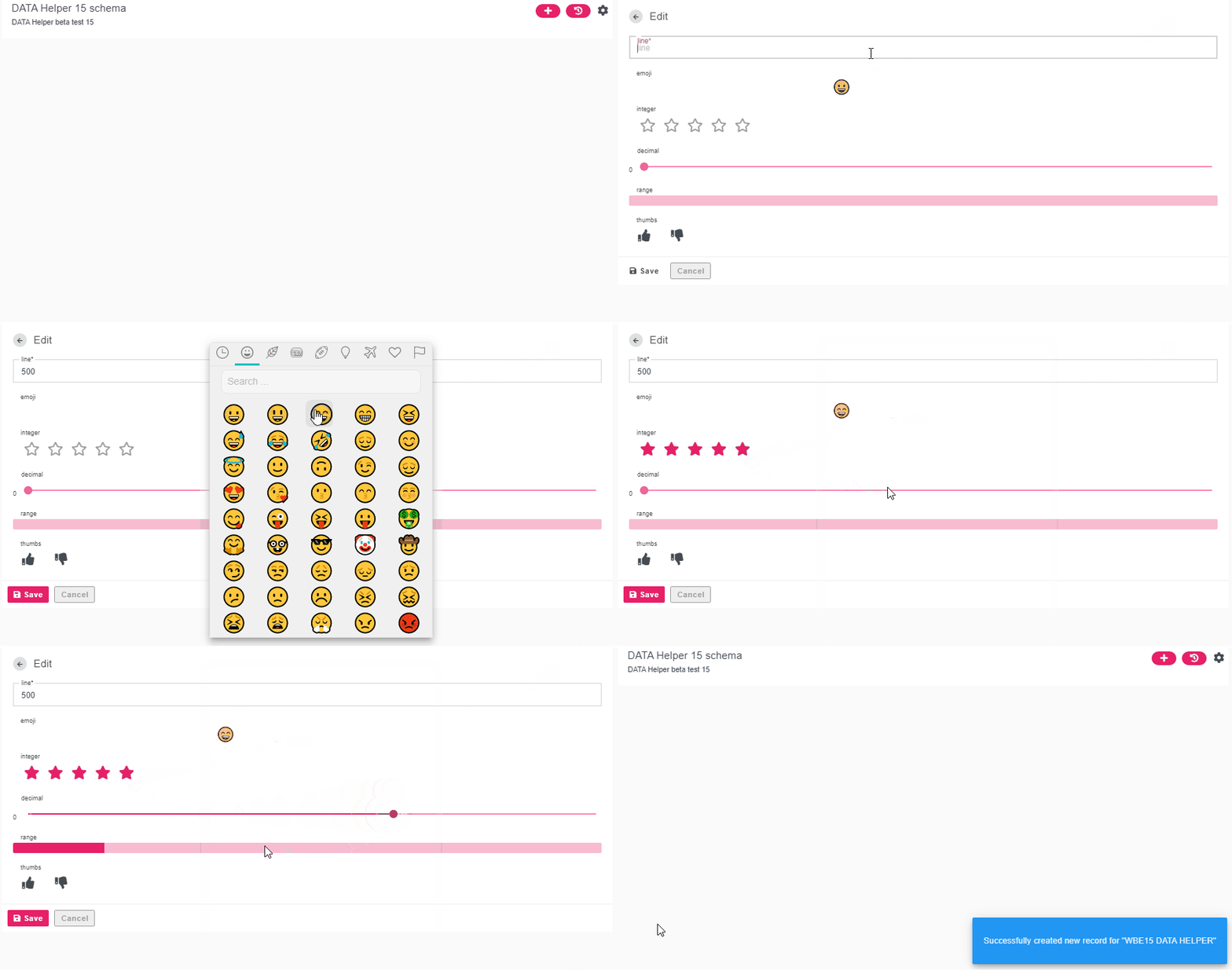
* **Rating** — a row of stars the reader clicks to rate something.
* **Slider** — a value picked along a continuum, when an approximation will do.
* **Progress** — a progress bar, for sharing how far along something is.
* **Custom Masking** — forces input into a shape you define. Only the digits are stored in the database.
You can also set a **Locale**, which decides how the number is formatted. The built-in choices are `en-US`, `nl-NL`, `fr-FR` and `de-DE`, and you can type another one.
**Prefix** and **Suffix** are available for every style except **Currency**, which brings its own currency sign. They show in the form and in the overview.
#### Rating
A very good use case for WriteBackExtreme is allowing users to rate certain dashboards using our star method. The Rating option presents a stars where users can click on each star which will then write back the score to your table, for example. Configure how many stars will be shown, size and spacing.
#### Slider
Convert the number to a slider, this would be ideal for users to use if a precise range isn’t necessary and an approximate would suffice.
#### Progress bar
As it says on the tin, users can update their dashboards using the progress bar to share their projects progress. A clear indication of how well your projects are doing.
### Other options
---
# Agent Instructions
This documentation is published with GitBook. GitBook is the documentation platform designed so that both humans and AI agents can read, navigate, and reason over technical content effectively. Learn more at gitbook.com.
## Querying This Documentation
If you need additional information that is not directly available in this page, you can query the documentation by asking a question.
Perform an HTTP GET request on the following URL with the `ask` and `goal` query parameters:
```
GET https://docs.infotopics.com/features/tableau-extension/configuration/schemas/field-formatting/number.md?ask=&goal=
```
`ask` is the immediate question: it should be specific, self-contained, and written in natural language.
`goal` is what the user is ultimately trying to achieve, the reason they need the answer. Sharing it helps GitBook give you a better, more relevant answer. A goal is most helpful when it describes the outcome the user wants rather than restating the question. For example, with `ask=how do I create an API token`, a goal like `automate deployments from our CI pipeline` lets GitBook tailor the answer to that use case.
The response will contain a direct answer to the question and relevant excerpts and sources from the documentation.
Use this mechanism when the answer is not explicitly present in the current page, you need clarification or additional context, or you want to retrieve related documentation sections.